Chrome extension · free

Feedray. See what your Threads feed doesn't show.

It bugged me that Threads shows no numbers. You read a comment and have no idea who wrote it - someone with three followers talking to themselves, or someone thousands of people read. The likes are there; everything else isn't. I got tired of guessing and built an extension. Maybe you'll want it too.

Free · no sign-up · no trackers · runs on the Threads session you already have open

The Threads feed with a follower and average-likes line under each name, a view-count badge, account tags and an AI score on every post

What annoyed me, and what I did about it

None of this was designed "for a product". Every item is a specific thing that kept getting on my nerves while I sat in the feed.

01

The author's numbers right under their name

Every name in the feed now carries a line: how many followers, how many posts over the last few days, and the likes they average.

Why. Comments were the worst of it. Someone states something with complete confidence - and who even is that? Maybe three followers, maybe thousands read them. To find out you open the profile, look, come back. A hundred times an evening. Now it's right there without leaving the feed.
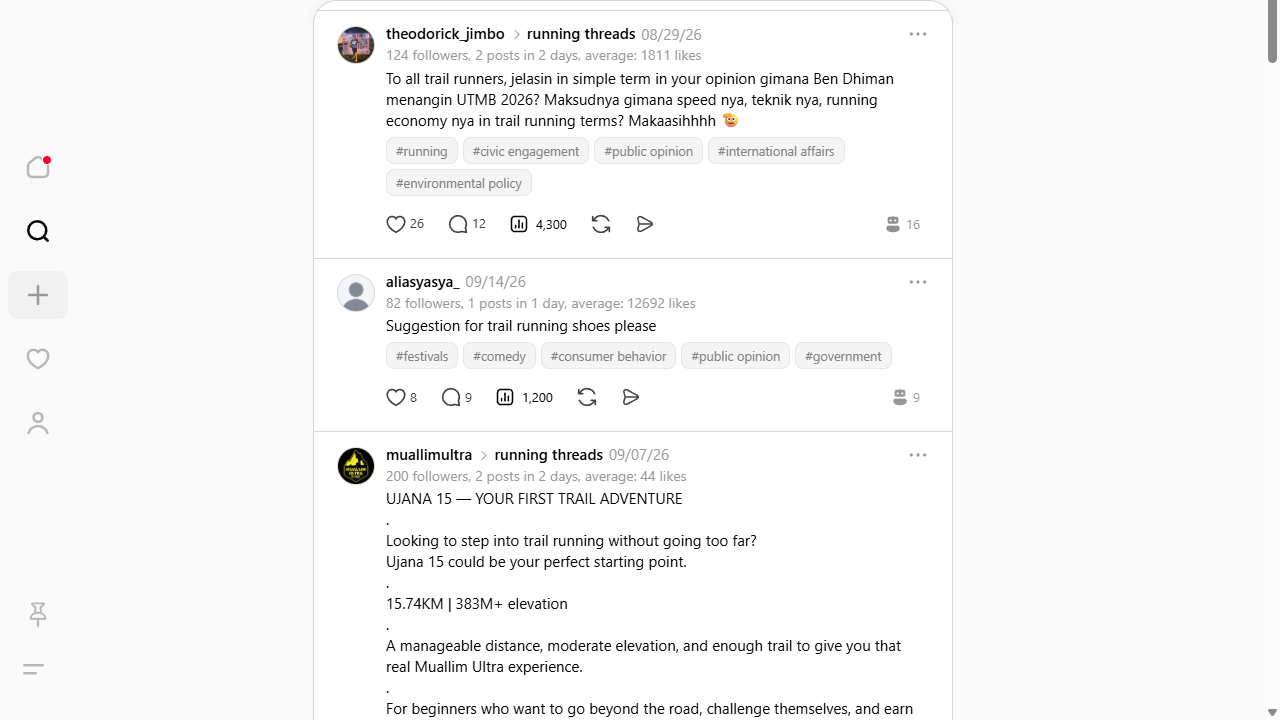
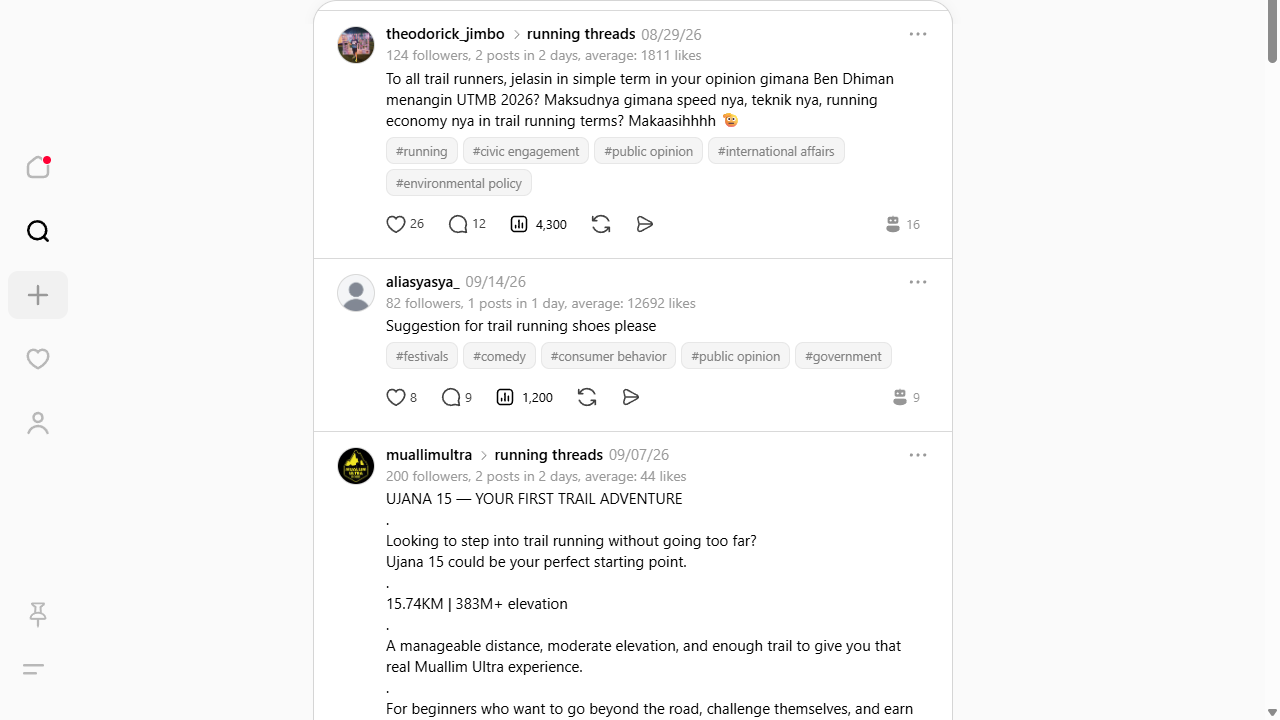
Follower count and average likes shown under the author's name
02

View counts on every post

Next to the likes and replies - how many times the post was actually shown. The number is clickable and opens the post.

Why. Likes without reach tell you nothing. Twenty likes on four hundred views means it landed. Twenty likes on forty thousand means it flopped. In the feed the two look exactly the same.

View-count badge next to likes and replies
03

A "human or model" score, plus account tags

A robot icon with a number from 1 to 100: how much the author's recent posts read as generated. Hover it and it explains the reasoning. The same request brings back five tags describing what the account is about.

Why. We all live next door to LLMs now, and a good half of any feed is written through one. I was simply curious whether a living person wrote this. It saves time too: a high score makes you think twice before wading into that thread.

And the tags? Since I'm calling an LLM anyway, it would have been a waste not to add categorisation. Useful when someone holds forth on a subject: you glance at the tags and see whether they actually live in that world or just wandered past.

The score is an estimate, not a verdict. The model looks at formulaic phrasing, an unnaturally even tone and the absence of personal detail. A high number is a reason to look closer, nothing more.

AI score with its explanation on hover and a row of account tags under the post
04

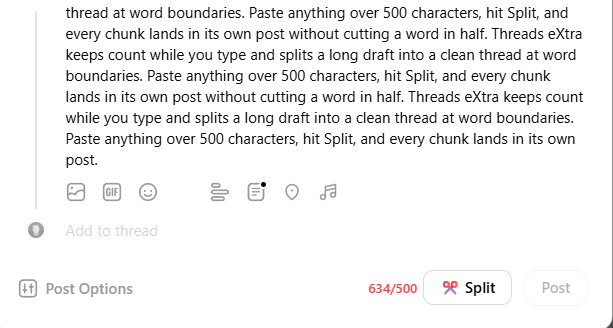
Character counter and a Split button

The counter sits in the composer at all times. Past 500 characters a button appears that cuts the draft into a thread along word boundaries rather than through the middle of a word.

Why. My trains of thought run long, and Threads stays quiet until the last moment: you write and write, and only then find out it doesn't fit. What follows is manual surgery - counting characters, re-gluing pieces. Now it's one button.

Composer with the character counter and the Split button
05

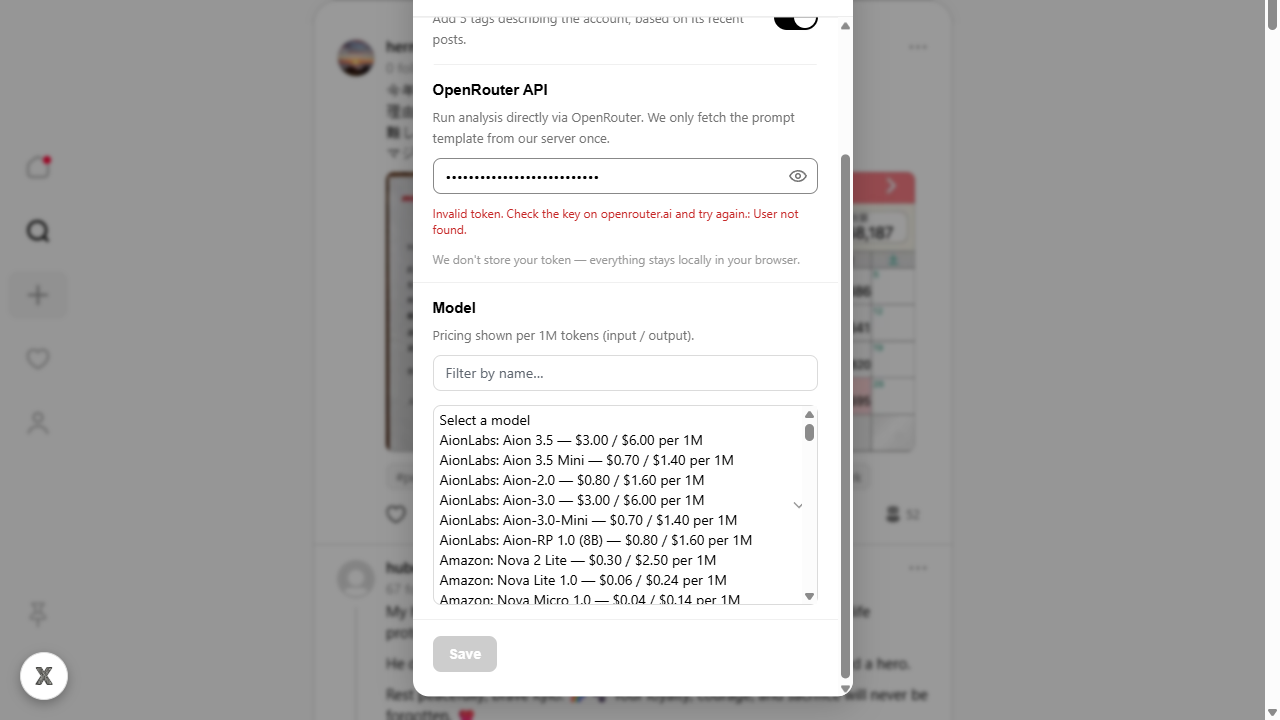
You can plug in your own model

By default the analysis runs through my server. But you can paste your own OpenRouter key and pick any model - GPT, Claude, Gemini, Llama or a free one. The list is live, with current prices and sorted by how much each model was used this week.

Why. Two requests, both fair: "I don't want my text going through someone else's server" and "I want a smarter model and I'll pay for it myself". With a key in place, requests go straight from your browser to OpenRouter, past me entirely. The key stays on your machine - I never see it.

Settings with the OpenRouter key field and the model picker showing prices
06

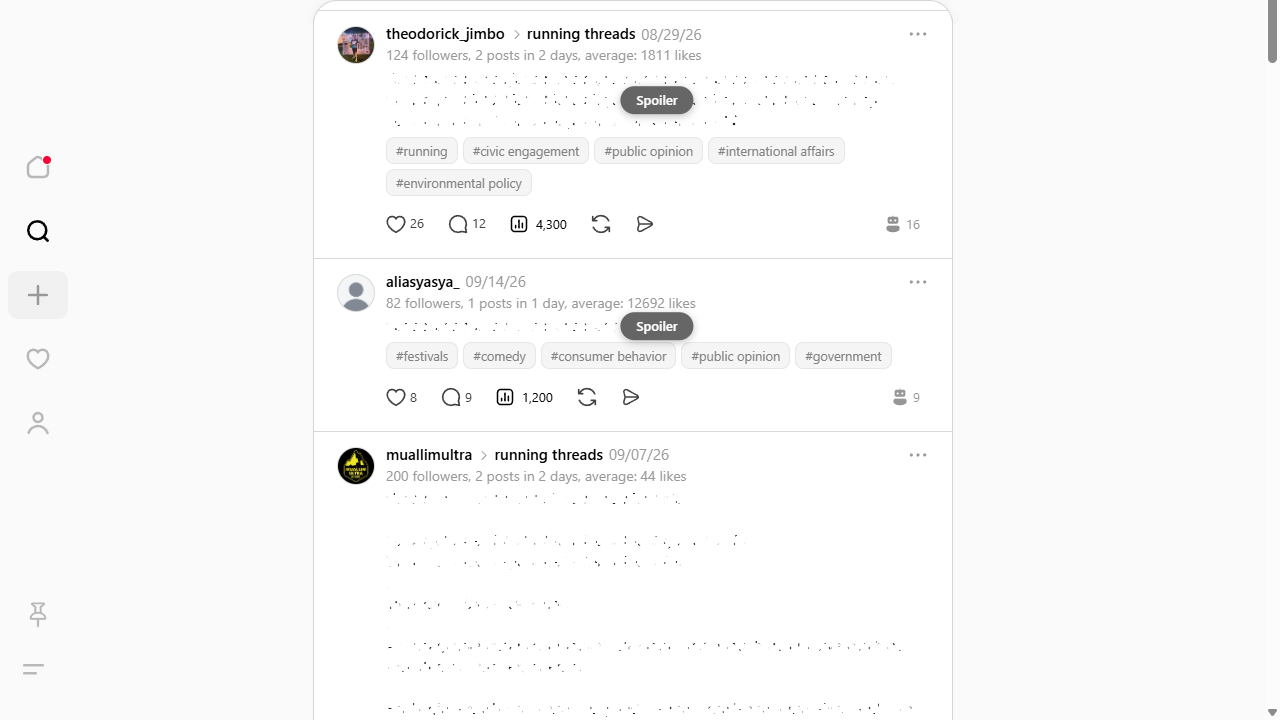
Spoilers behind a cover

Add the words you'd rather not run into. Posts and comments containing them hide behind a Threads-style Spoiler pill - one click reveals them.

Why. Muting a word in Threads switches off whole accounts, while I just want one topic gone for a week: a season finale, a match result. Here only what actually matched gets covered, and only until you click.

A post hidden behind a Spoiler pill
  • Doesn't look bolted on

    The "Feedray" row in the sidebar is pixel-aligned with the native ones, and settings open in a window styled like Threads' own.

  • 20 languages

    Picks the language up automatically: English, Russian, Spanish, Portuguese, French, German, Japanese, Chinese and more.

  • Everything toggles separately

    Don't want the AI analysis? Turn off just that. Don't need spoilers? Same. The rest keeps working.

  • Never posts for you

    It only reads what the page already loaded and draws numbers on top. No actions are ever taken on your behalf.

What it costs

Nothing. Honestly - no asterisks, no "free for your first 7 days".

The one place this actually costs me money is the AI analysis: it runs on my server and burns tokens. While there aren't many people using it, that costs me nothing. If a crowd turns up and starts eating billions of tokens, I'll have to work something out - and I'll say so plainly here and on Threads. For now, just use it.

If you'd rather not depend on my server at all, paste your own OpenRouter key and the analysis goes straight through your model on your own dime. Everything else - the numbers, view counts, counter and spoilers - runs locally and stays free regardless.

What happens to your data

  • I never see your password. The extension works on top of the Threads session you already have open - there's nothing to log into.
  • Private things stay private. No DMs, no notifications, no drafts, no account email. Only what the page already shows you.
  • Settings live on your machine. Everything is kept in your browser's local storage.
  • No analytics, no trackers. No counters, no ads, no third-party scripts - including on this page.
  • The AI analysis is opt-in. While it's off, nothing leaves your browser at all. When it's on, only the public posts and username of the author being checked, your own username and a random install ID (for fair-use limits) and the interface language are sent.

The details are in the privacy policy.

Questions people have already asked

Can my account get banned for this?

The extension never posts, likes or follows on your behalf. It reads what your browser already loaded for the page and draws numbers over it. No actions are taken as you.

How much should I trust the "human or model" score?

It's a probability, not a fact. The model looks at formulaic phrasing, an unnaturally even tone and missing personal detail. False positives happen: someone who writes cleanly and to the point can score high. Treat it as a hint.

Why do you need my posts - do you store them?

No. The text goes to the server only at the moment of analysis and only to get an answer back. I don't store it and don't train anything on it. The result (score and tags) is kept for a few hours so the same author isn't checked twice, and a 90-day usage record (your username and install ID, no post text) for limits. If that still bothers you, add your own OpenRouter key and my server is out of the loop entirely.

Does it work in Firefox or Safari?

Chrome and Edge for now. The code is Manifest V3 with no bundler, so a Firefox port is realistic - tell me if you want one and I'll know somebody needs it.

Threads redesigns something - does it all fall apart?

The extension anchors to the structure of the page rather than to button labels, and takes its numbers from Threads' own responses. That survives both redesigns and interface languages. One such redesign has already come and gone. If something did break, tell me - it gets fixed quickly.

Who made this?

Vibe-coded for myself and my own feed, then figured it might be useful to someone else. Questions and ideas go to Threads.

Two clicks to install

Once it's installed, open Threads and a "Feedray" row appears in the sidebar. Everything is switched on and off from there.

Install from the Chrome Web Store

Got an idea, or did something break?

Write on Threads. I read all of it - suggestions, "could you make it do this", and complaints.

Write on Threads